Screenshots
QuIDBBIDS architecture
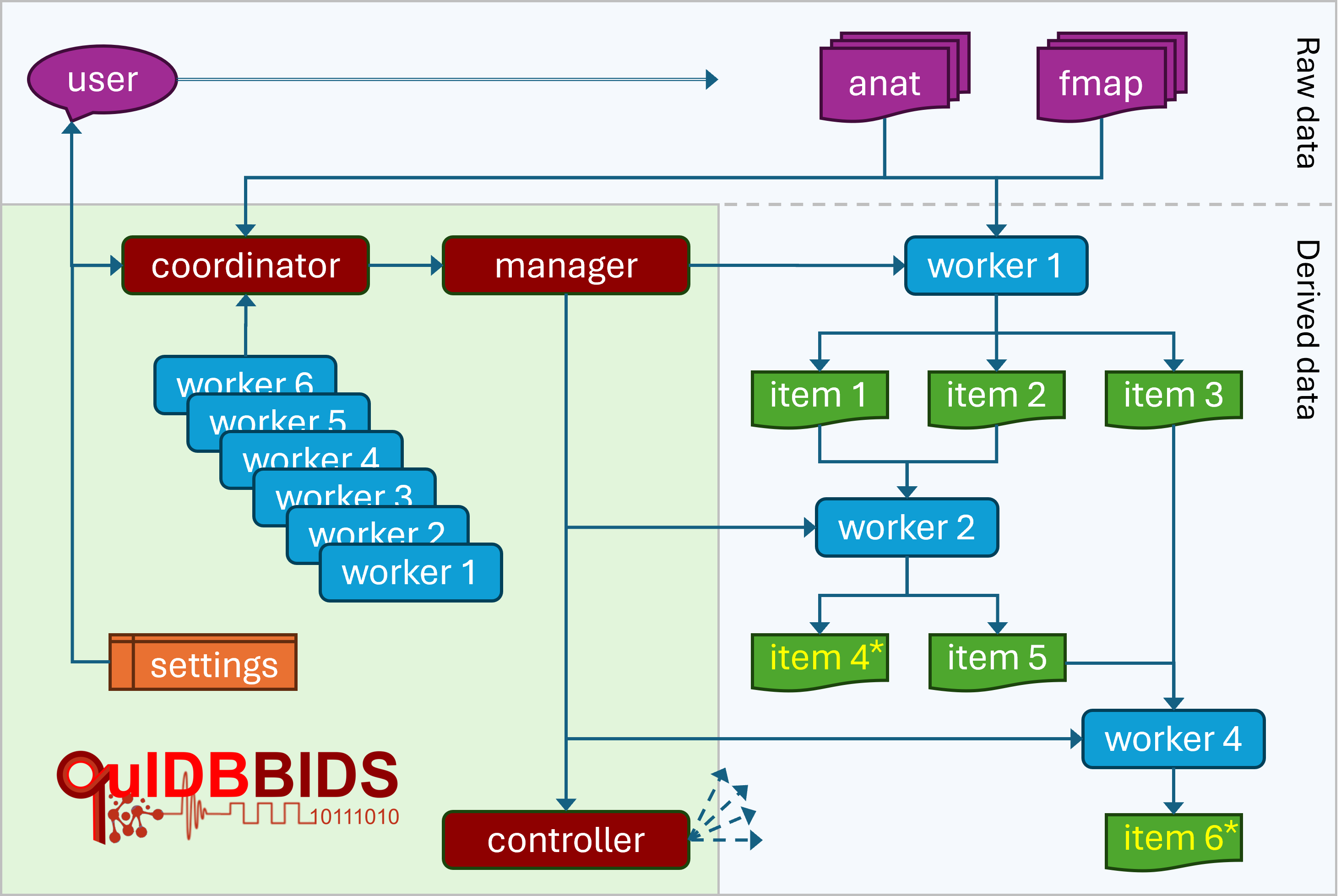
Overview of the QuIDBBIDS workflow. The user specifies the data and desired workitems (4* and 6*)
to the coordinator. The coordinator inspects the worker pool, interacts with the user to edit settings
(algorithm parameters and additional metadata), and activates the manager. The manager puts workers 1,
2, and 4 into a team and directs them to process the input data (“anat” and “fmap”), collaboratively
producing workitems 1–6. Finally, the manager initiates a controller to verify successful completion.
Configuration editor
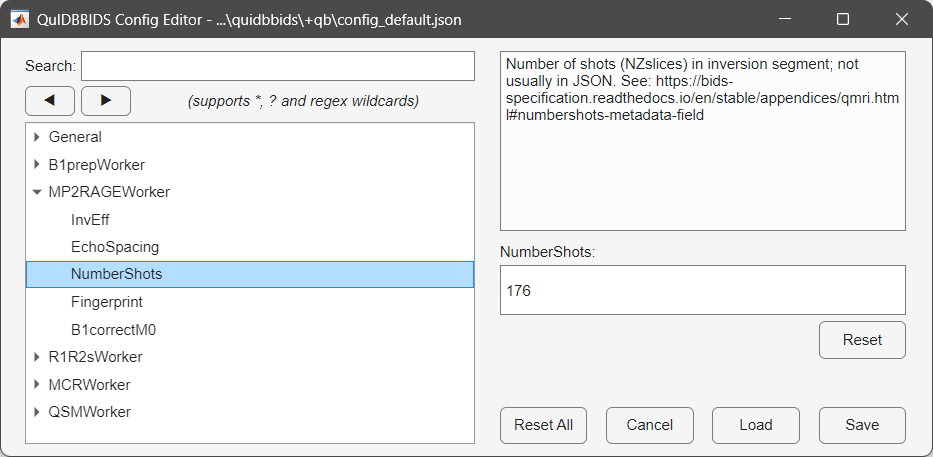
Left panel: The General QuIDBBIDS settings as well as the the settings for the individual workers. In this
example the user navigated to the MP2RAGEWorker and selected the NumerShots parameter. Right panel:
The description of the selected parameter (top) with a box to edit its value (bottom).
QuIDBBIDS data
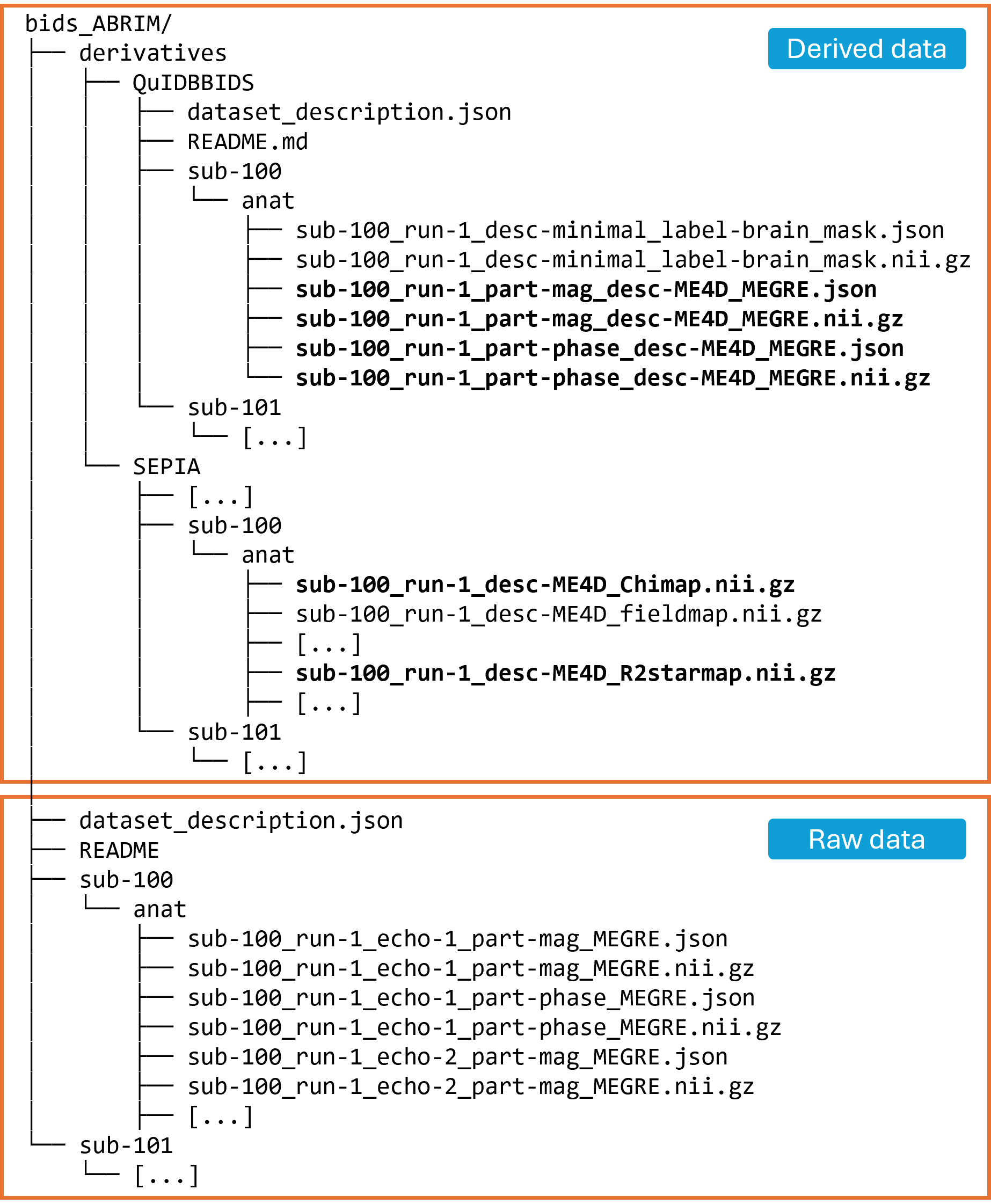
Example of the raw input (bottom) and the corresponding QuIDBBIDS output data structure (top), showing how file and directory names, data formats, and metadata sidecar files are organized in accordance with the BIDS standard. Boldface filenames indicate work-items that are either needed or produced by the QSMWorker, i.e. input workitems from the “QuIDBBIDS” folder and output items in the “SEPIA” folder.
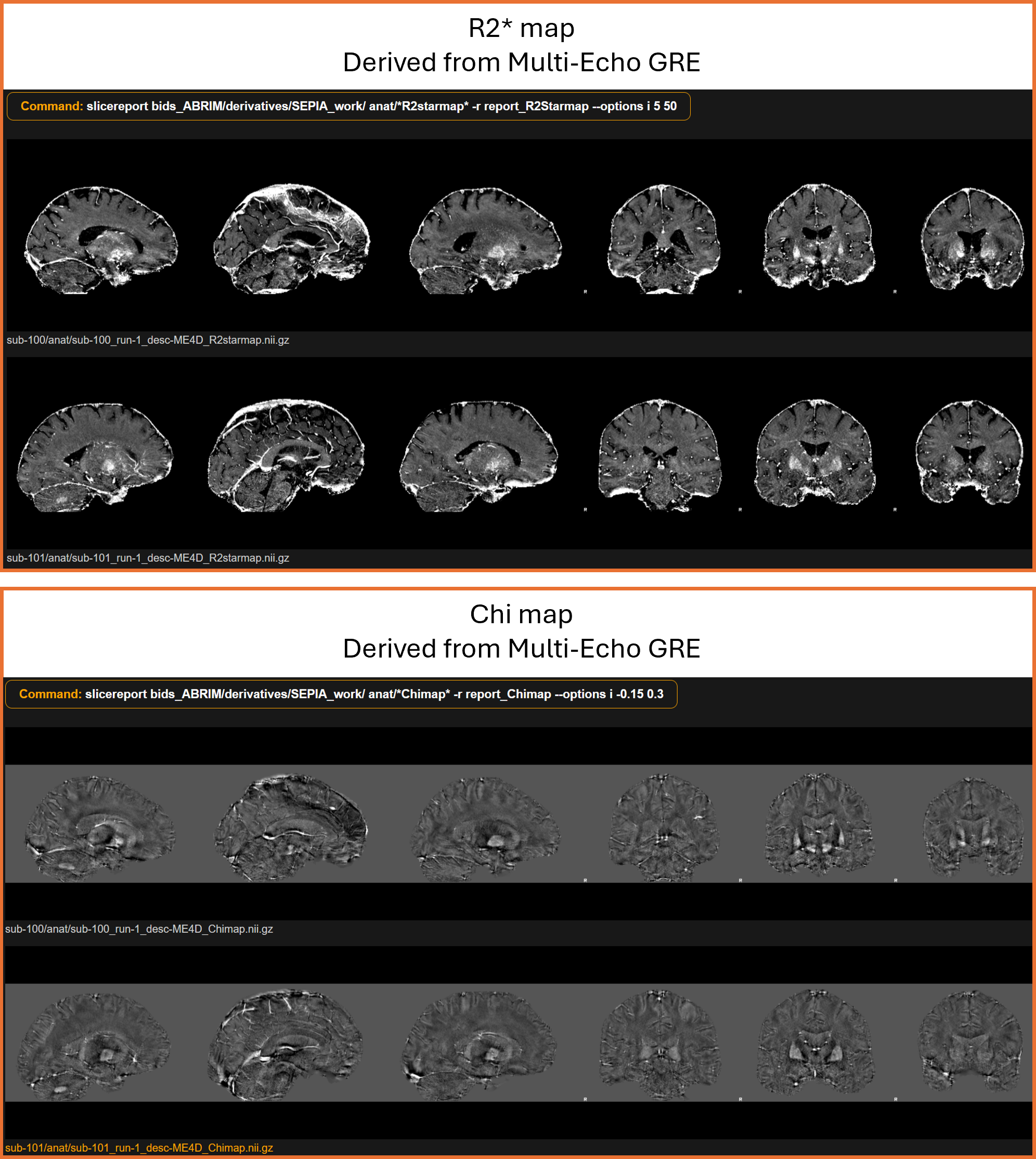
R2*- and Chi-maps as computed by QuIDBBIDS from the input data (visualisation made with BIDScoin slicereport).